Features
From the first song to the stream.
Every screen below is part of LiberUnda. The ones marked PRO come with the Pro edition.
On Air
The screen you live in.
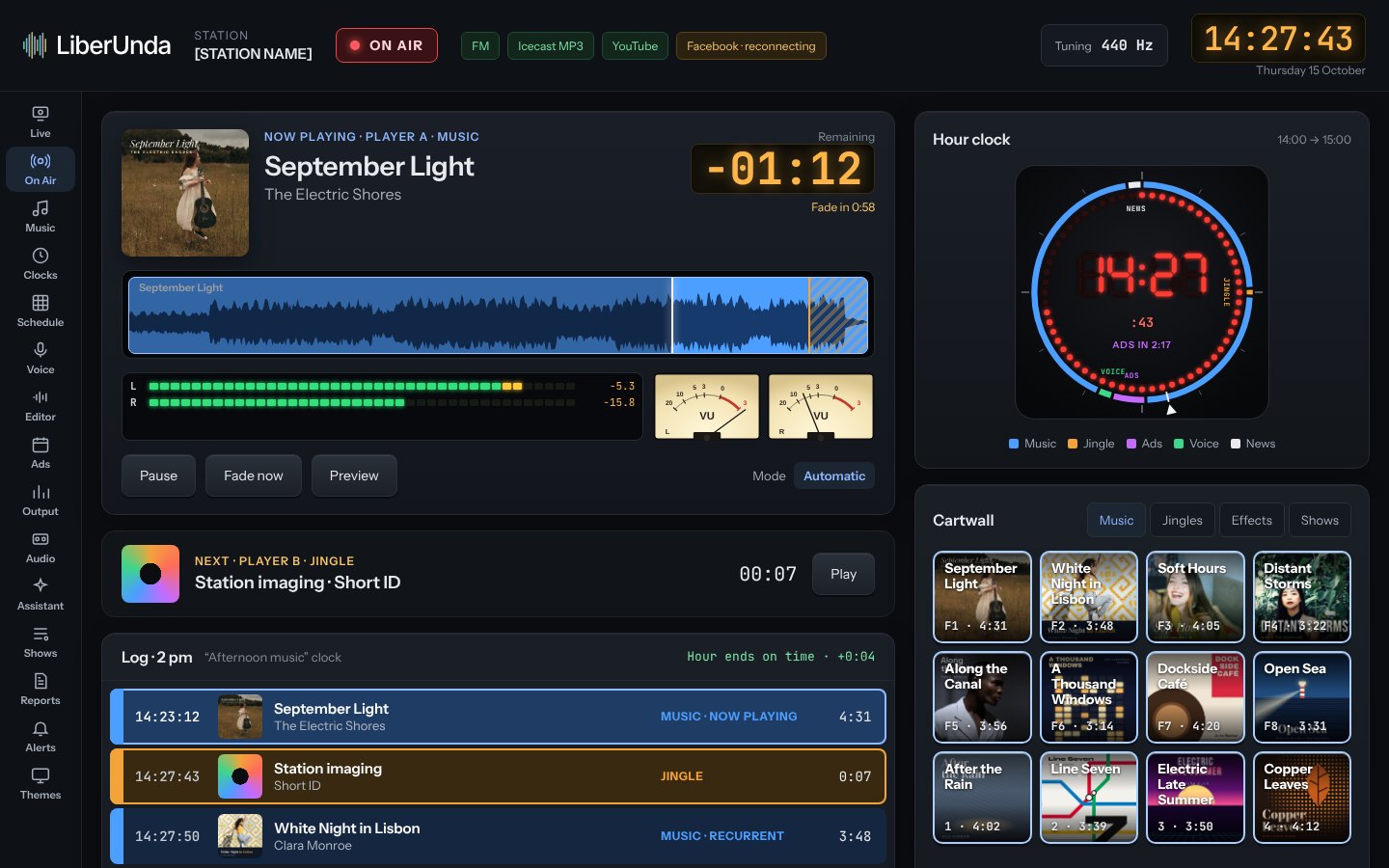
What is playing, what comes next, how long until the fade, and a cartwall for jingles and effects, readable from across the studio.
- Waveform with playhead and segue zone
- LED and needle meters
- Studio clock with the shape of the hour
- Log in colour bands by category
Live studio
Talk over the music with confidence.
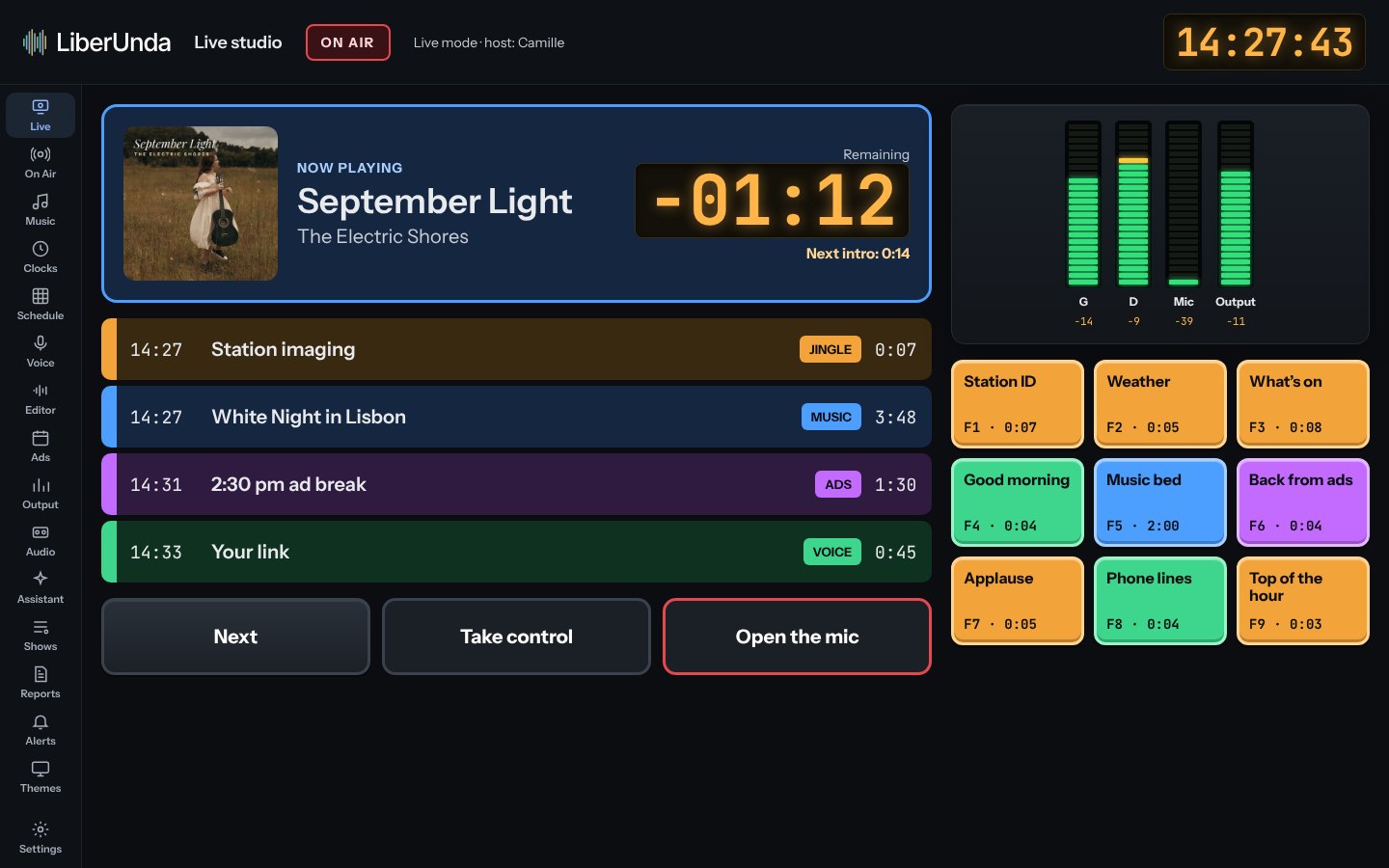
Microphone on, music ducks. Countdown to the post, the next item ready, and big buttons that work on a touch screen.
- Mic, music and output meters
- Automatic ducking
- Touch-friendly layout
Library
Drop in your music. LiberUnda listens to it.
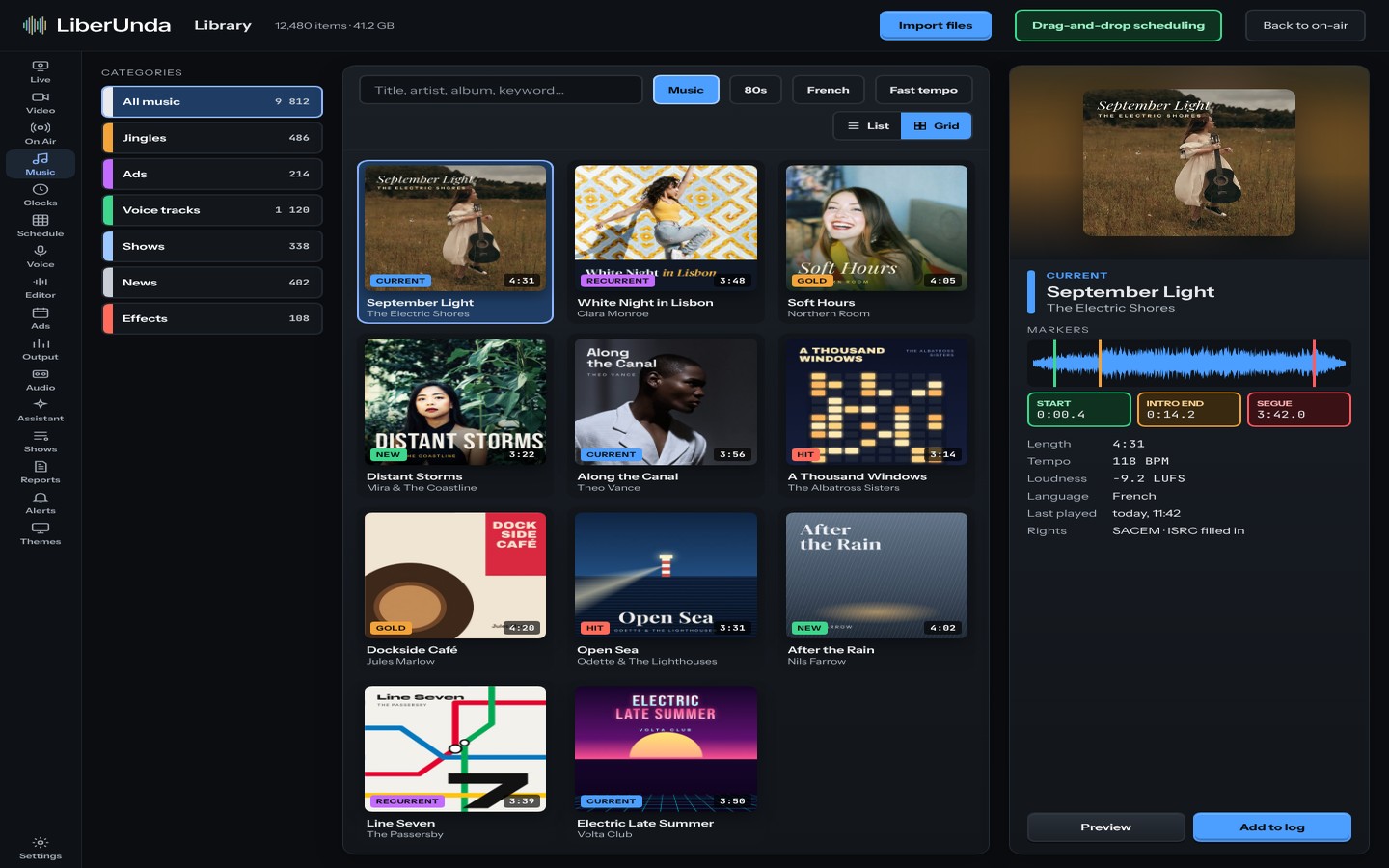
Import folders and get BPM, loudness, intro length and segue points measured automatically. Covers come from your files.
- MP3, FLAC, WAV, AAC, OGG, Opus
- Loudness normalised to EBU R128
- Markers you can adjust on the waveform
Drag and drop
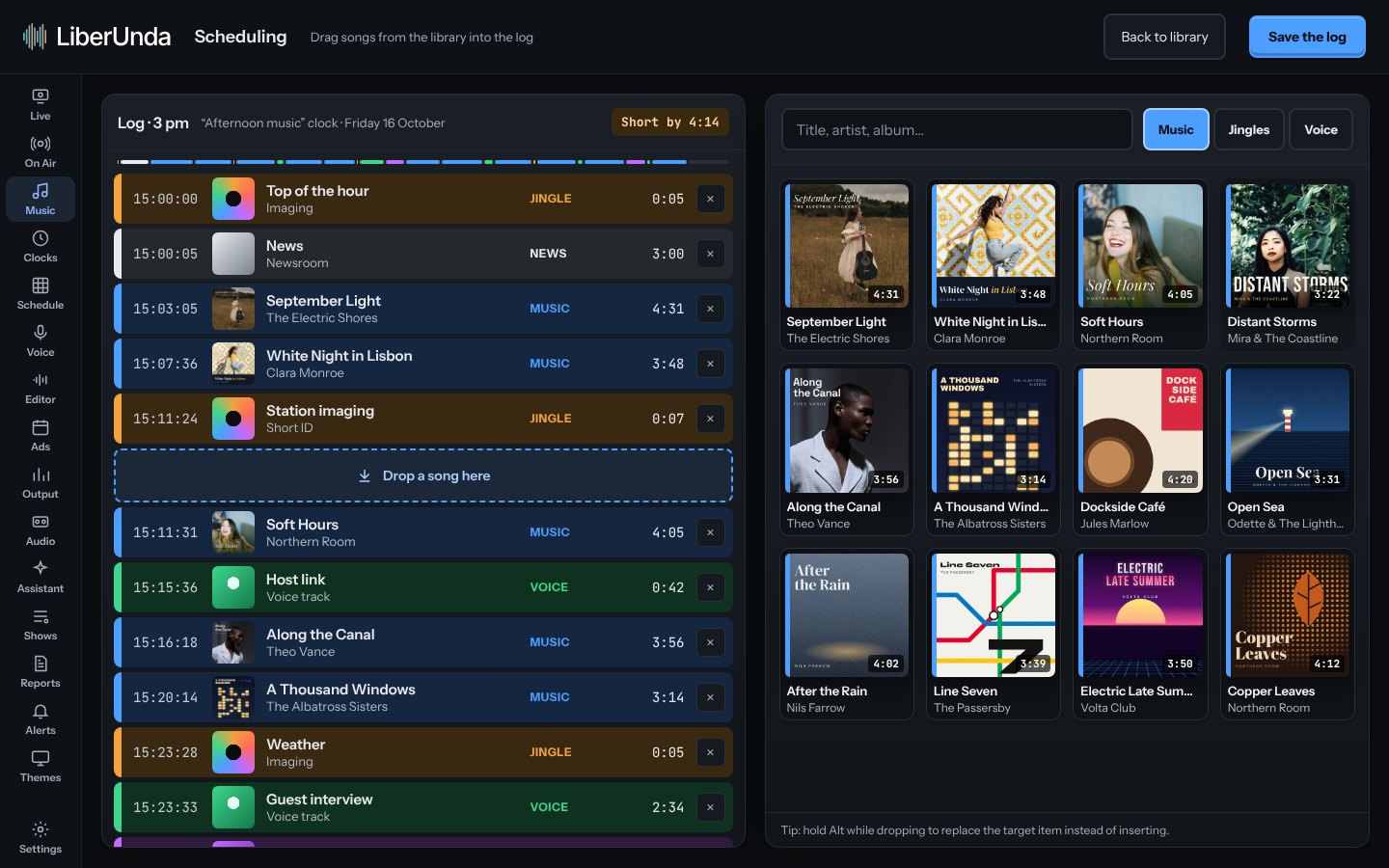
Build an hour with your mouse.
Drag songs, jingles and voice links from the library into the log. Times, hour length and the fill gauge update as you drop.
- Library as a cover grid
- Insert, move or replace (Alt) by dragging
- Live hour balance: short, full or over
Scheduling
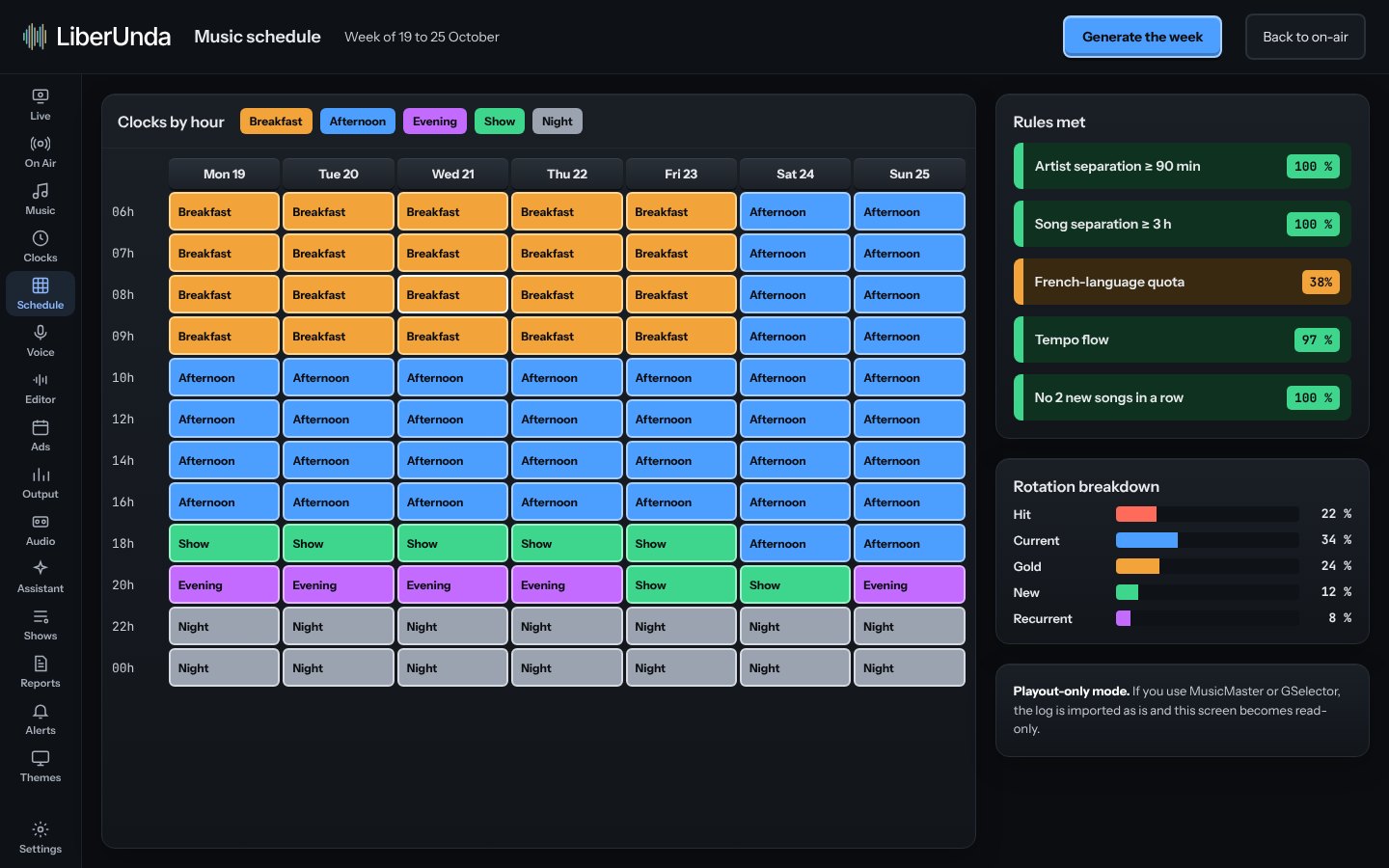
Clocks, rules and a schedule that keeps time.
Draw each hour as a clock, set the rules (artist separation, tempo flow, quotas) and let the scheduler fill the week. Imports from GSelector and MusicMaster in Pro.
- Hour clocks with categories
- Artist and title separation
- Hour ends on time, to the second
Voice tracking
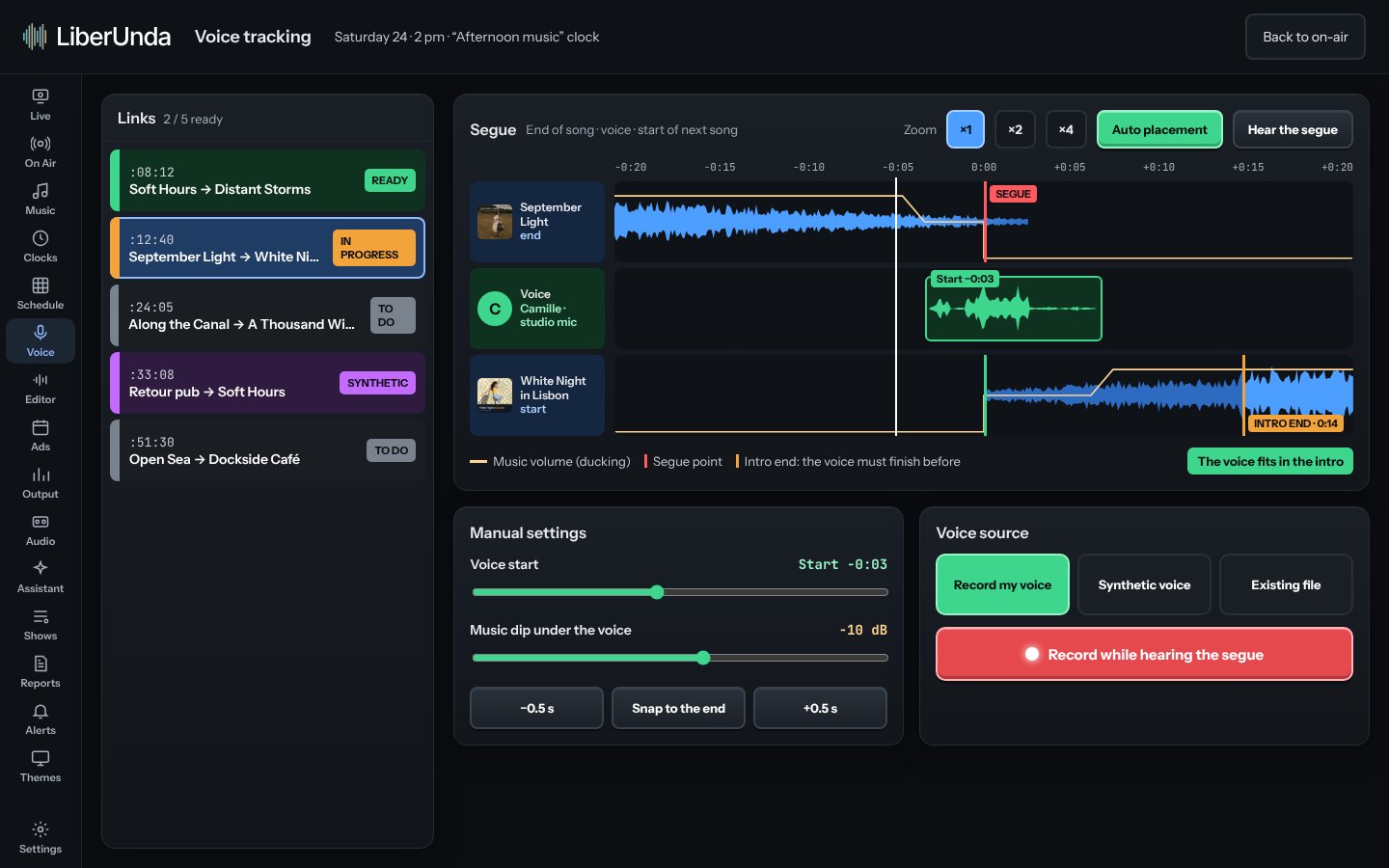
Pre-record your links between songs.
Record over the end of one song and the start of the next. Place the voice automatically or drag it by hand, with real or synthetic voices.
- Three-track editor
- Automatic or manual placement
- Remote voice tracking in Pro
Audio editor
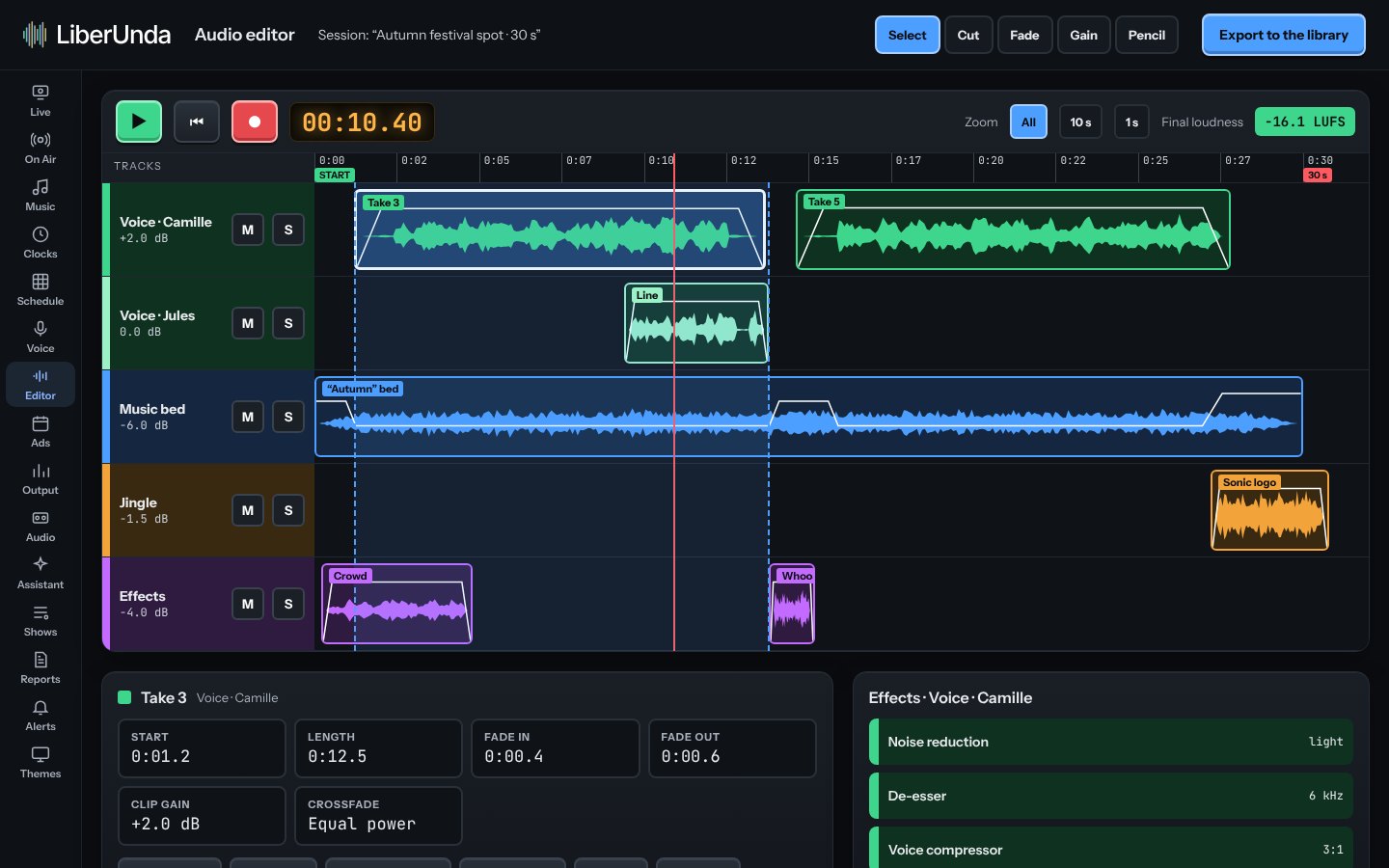
Cut, fade and export without leaving the app.
A multitrack editor for jingles, promos and podcasts, with fades, clip gain, solo and mute, and export straight to the library.
- Multitrack with clip fades
- Solo, mute, gain
- Export to the library
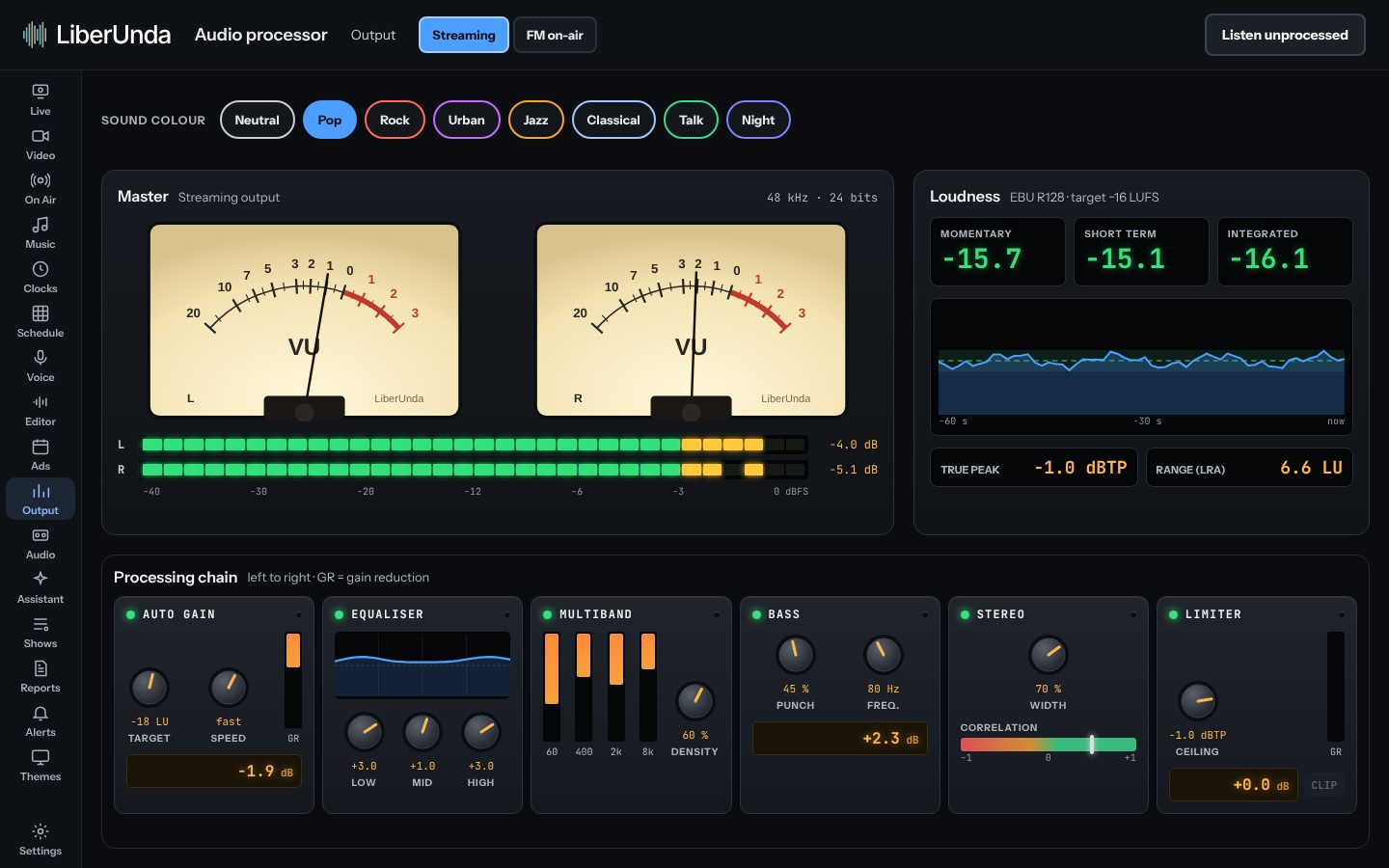
Sound
Your sound, on air and online.
Built-in processing and metering, plus the encoder for your stream: Icecast, YouTube or your own server.
- Needle VU and LED peak meters
- EBU R128 loudness and true peak
- Six-module chain with sound colours
- 440 Hz or 432 Hz tuning for music
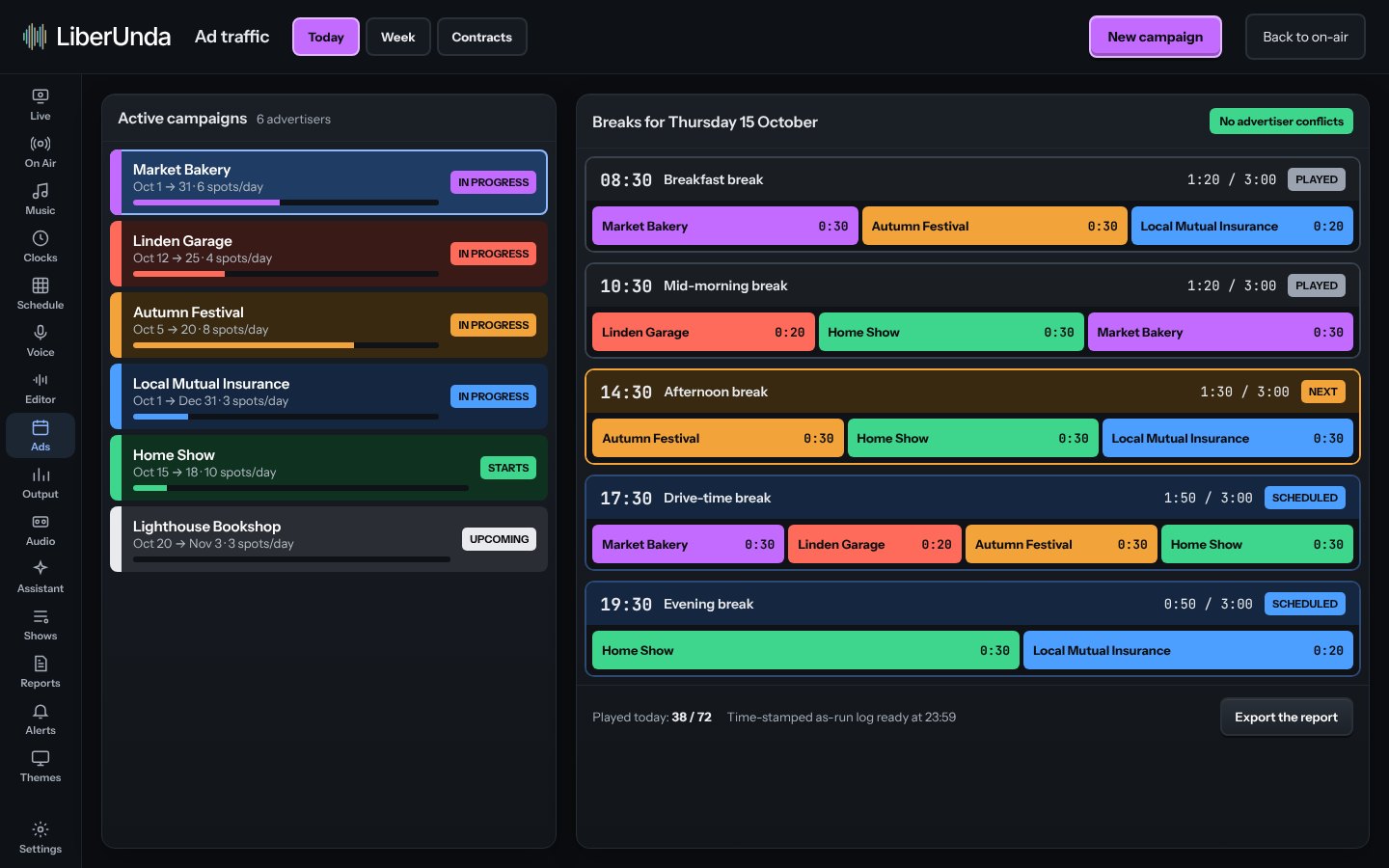
Ad traffic PRO
Sell, schedule and prove every spot.
Campaigns, ad breaks and as-run reports in one place, so you can invoice with confidence.
- Campaigns and breaks
- As-run reports
- Exports for billing
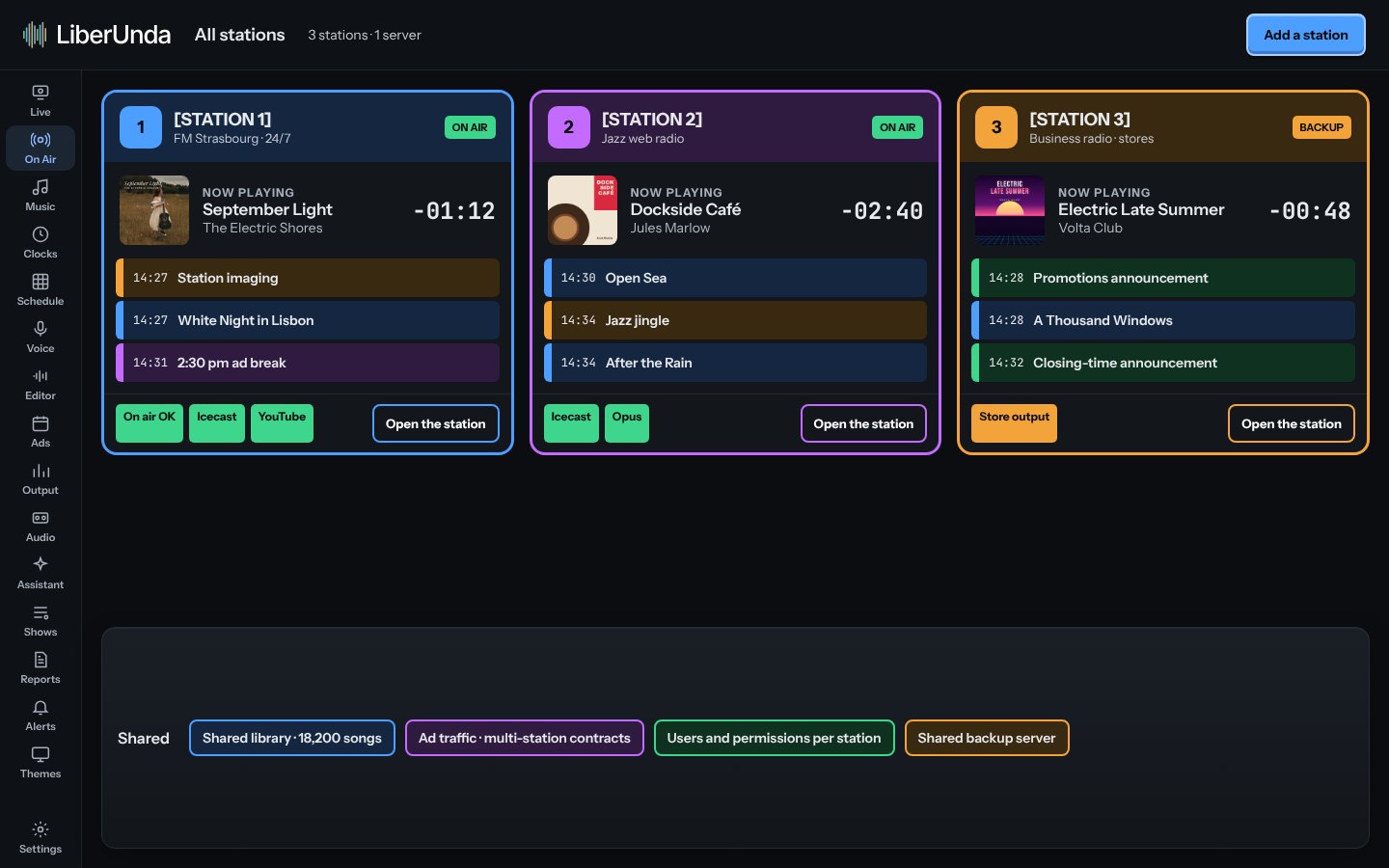
Network PRO
One team, several stations.
See every station at a glance, share libraries, run opt-outs from a network feed and fail over to a backup machine.
- All stations on one screen
- Network opt-outs
- Failover mode
Remote
Your station in your pocket.
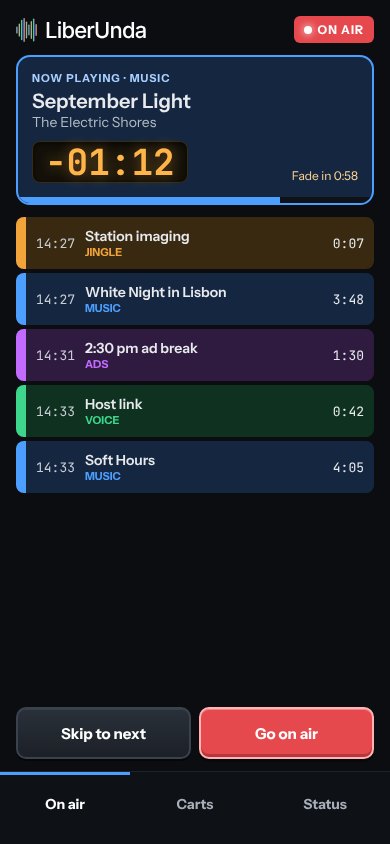
A phone remote shows what is on air and lets you fire carts or take the air from anywhere on your network.
- Now playing and log
- Cartwall
- Take the air